
AI Slides Generator
Describe your topic and Ridvay generates a structured set of slides in seconds — each with a clear heading and the key points organised for you, not a blank canvas to fill.
Edit any slide directly, ask the AI to add, merge or rewrite slides in plain language, apply your Brand Kit (colours, fonts, logo), then export the whole deck as a PowerPoint (.pptx) or a single PDF.
Try a prompt like: “A 6-slide deck explaining how machine learning works, for a non-technical audience”
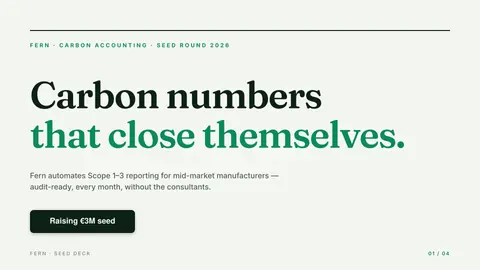
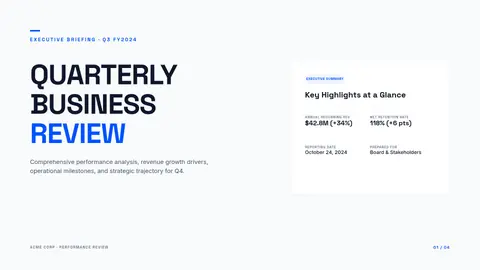
A live example — open the full editor to make your own.
Everything you need to make your slides
Design from a prompt
Describe what you want; Ridvay generates a complete, editable design — layout, fonts, colours and copy.
Fully editable
Change any text, colour or element, move things around and add images — it is a real design, not a flat picture.
On-brand automatically
Save a Brand Kit (colours, fonts, logo) and Ridvay applies it as it generates.
Multi-page
Build carousels, decks and documents, then export the whole set as one PDF.
Export anywhere
Export to print-ready PDF, or PNG and SVG — or share a live link.
Refine in chat
Say “make it bolder” or “add a section” and the design updates — no manual fiddling.
From one sentence to a slides
Click an example to generate it in Ridvay Studio.
Or start from a ready-made slides template
Every template is fully editable — open it, make it yours, export.




Frequently asked questions
How do I generate slides with AI?
Describe your topic and Ridvay builds a structured, editable slide deck in seconds. Refine any slide in plain language, restyle it, then export.
Can I edit the slides?
Yes — every slide and element is fully editable. Change text, colours and layout, reorder slides, and apply your own Brand Kit.
Can I export my slides?
Yes — export the whole deck as a PowerPoint (.pptx) or a single PDF, or individual slides as PNG or SVG.
Is it free?
Yes, you can create and edit slides free in the browser. Higher limits and advanced features are on paid plans.