
AIインフォグラフィック作成ツール
伝えたいテーマやポイントを説明するだけで、Ridvayが見出し・ステップ・数字・アイコンを分かりやすく配置した、編集可能なインフォグラフィックを生成します。
どの要素も編集でき、ブランドに合わせてスタイルの変更も自由自在。PNG・SVG・印刷用PDFで書き出せます。
こんなプロンプトを試してみてください: “家庭でコンポストを始める5つのステップを示すインフォグラフィック、フレッシュなグリーン系で”
ライブサンプル — フルエディタを開いて 自分のデザインを作りましょう。
インフォグラフィックづくりに必要なすべてが揃っています
プロンプトからデザイン
作りたいものを説明するだけで、レイアウト・フォント・配色・文章まで揃った編集可能なデザインを Ridvay が生成します。
すべて編集できます
文字も色も要素も自由に変更でき、移動や画像の追加も可能です。画像ではなく、本物の編集できるデザインです。
ブランドを自動反映
ブランドキット(配色・フォント・ロゴ)を保存しておけば、生成時に自動で適用されます。
複数ページ対応
カルーセルや資料、ドキュメントを作成し、全ページをまとめて1つのPDFに書き出せます。
どこへでも書き出し
印刷用のPDF、PNG、SVGに書き出せます。共有リンクの発行も可能です。
チャットで調整
「もっと大胆に」「セクションを追加して」と伝えるだけでデザインが更新されます。手作業の調整は不要です。
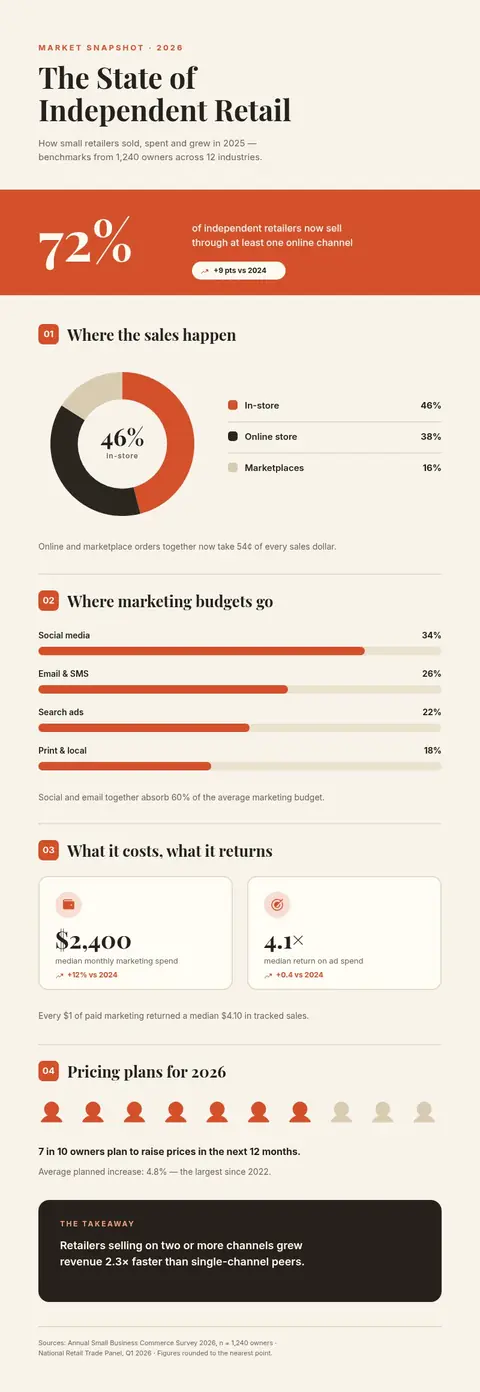
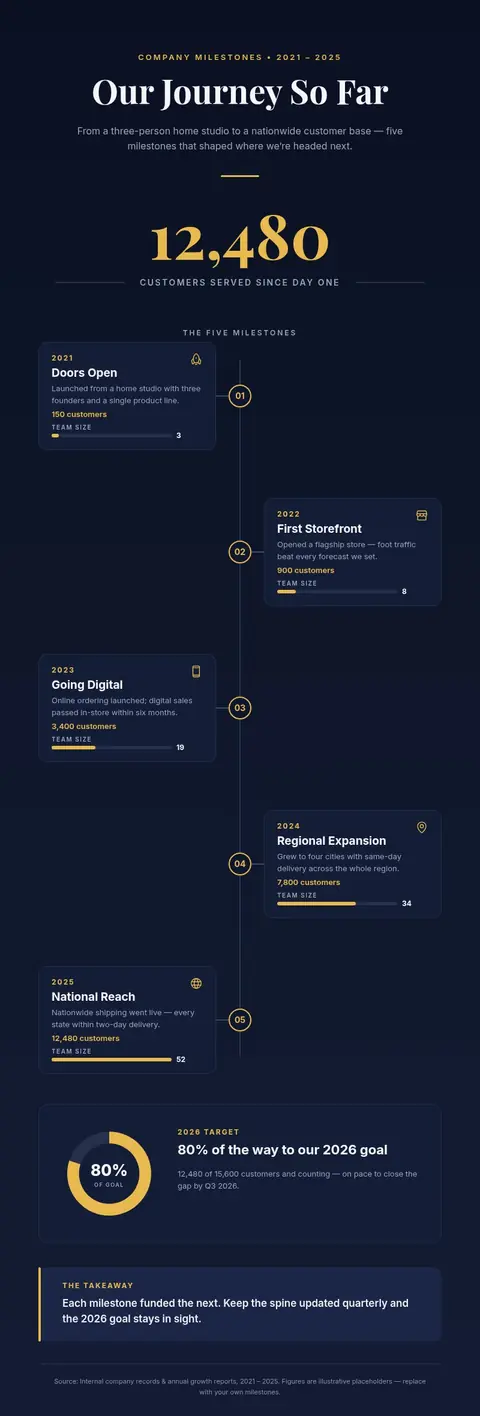
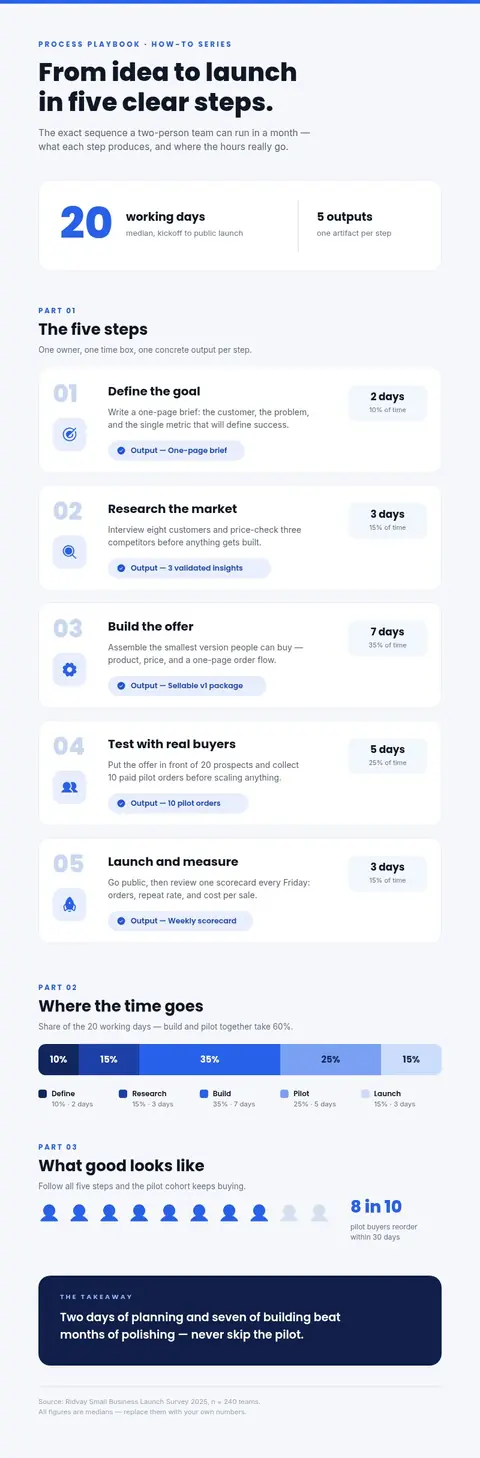
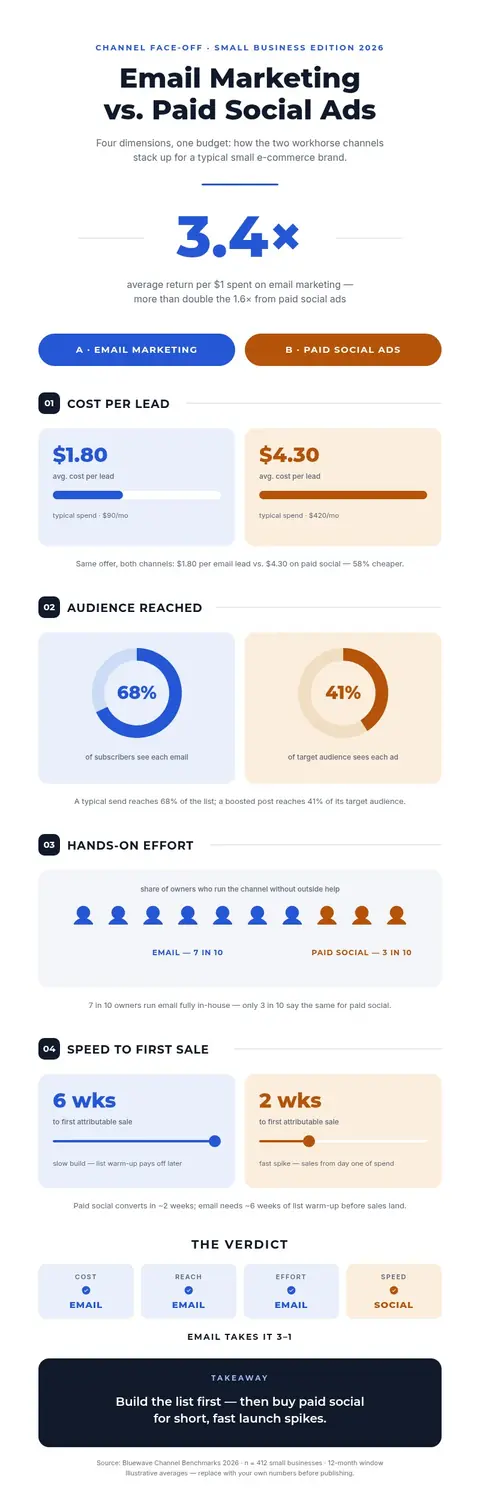
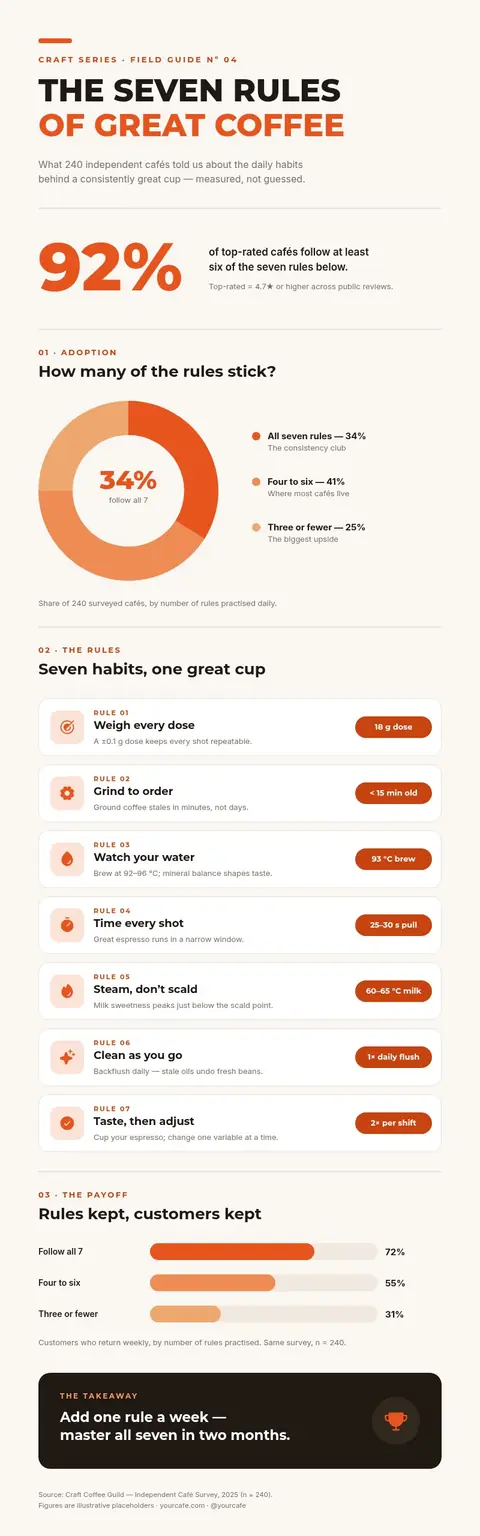
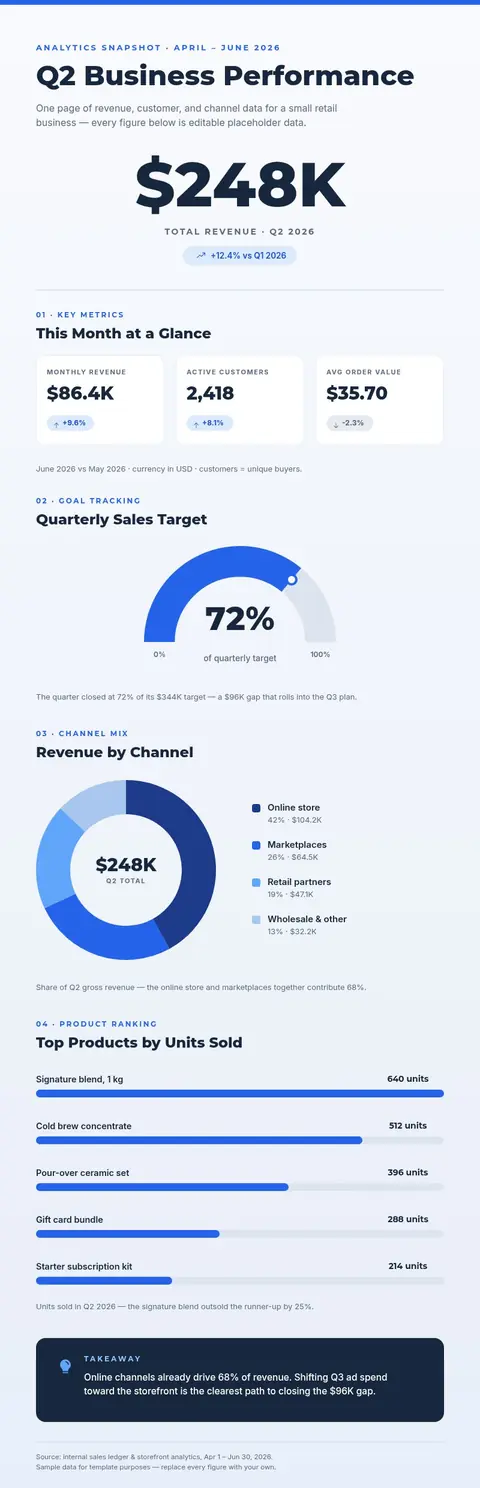
一文からインフォグラフィックへ
作例をクリックすると、Ridvay Studioで生成できます。
既成のインフォグラフィックテンプレートから始めることもできます
どのテンプレートも自由に編集できます。開いて、自分好みに仕上げて、書き出すだけ。
よくある質問
AIでインフォグラフィックを作るには?
テーマや伝えたいポイントを説明するだけで、Ridvayが見出し・ステップ・アイコンのそろった編集可能なインフォグラフィックを生成します。自由に調整して書き出せます。
書き出しはできますか?
はい。PNG・SVGのほか、印刷用PDFでも書き出せます。
ブランドに合わせられますか?
はい。色・フォント・ロゴをBrand Kitとして保存すれば、Ridvayが自動で適用します。
無料ですか?
はい。ブラウザ上で無料でインフォグラフィックの作成・編集ができます。上限の引き上げや高度な機能は有料プランで提供しています。