
The Tome Alternative for AI Presentations
Tome wound down its presentation product — so if you came to make slides, Ridvay is the natural home. Describe your topic and Ridvay generates a complete, multi-page slide deck in seconds, then you fully edit every slide. Ask “add a slide on pricing” or “make slide 2 punchier” in plain language and it updates.
Unlike a fixed template, you get real design control: move and restyle any element, apply your own Brand Kit (colours, fonts, logo), and export the whole deck as a PowerPoint (.pptx) or a single PDF. Free to start, right in the browser — no install, no migration headache.
Try a prompt like: “A 6-slide investor pitch deck for a B2B SaaS startup: problem, solution, market, product, traction, ask”
A live example — open the full editor to make your own.
Everything you need to make your AI presentation
Design from a prompt
Describe what you want; Ridvay generates a complete, editable design — layout, fonts, colours and copy.
Fully editable
Change any text, colour or element, move things around and add images — it is a real design, not a flat picture.
On-brand automatically
Save a Brand Kit (colours, fonts, logo) and Ridvay applies it as it generates.
Multi-page
Build carousels, decks and documents, then export the whole set as one PDF.
Export anywhere
Export to print-ready PDF, or PNG and SVG — or share a live link.
Refine in chat
Say “make it bolder” or “add a section” and the design updates — no manual fiddling.
From one sentence to a AI presentation
Click an example to generate it in Ridvay Studio.
Ridvay vs Tome
| Ridvay | Tome | |
|---|---|---|
| Presentations today | Actively developed — describe a topic, get an editable deck | Presentation product was wound down |
| Make a deck | Prompt → a complete multi-slide deck, every element editable | No longer available |
| Variants | Multiple takes per prompt — pick a direction, then refine | No longer available |
| Export | PowerPoint (.pptx), PDF, PNG or SVG | No longer available |
| Price to start | Free in the browser, no install | — |
Tome is a trademark of its respective owner. Ridvay is an independent product and is not affiliated with Tome.
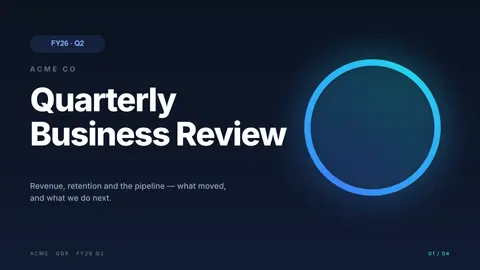
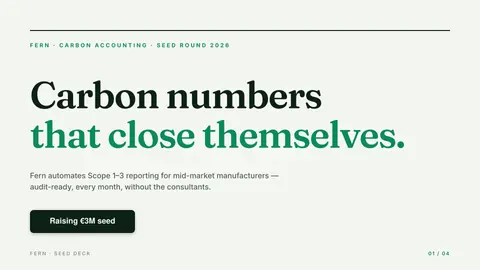
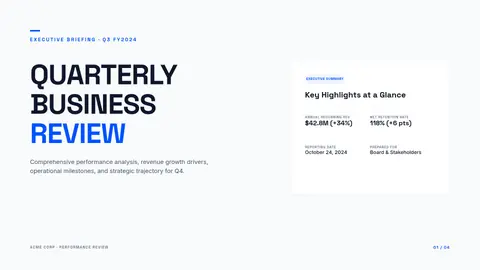
Or start from a ready-made AI presentation template
Every template is fully editable — open it, make it yours, export.



Frequently asked questions
Is Ridvay a good Tome alternative?
Yes — Ridvay does what Tome’s presentation app did: turn a prompt into a complete, editable slide deck. You get full design control over every element plus your own Brand Kit, then export as a PDF. You can generate and edit free in the browser.
Tome shut down — can I still make AI presentations?
Yes. Open Ridvay, describe your deck, and it generates an editable presentation in seconds. There is nothing to migrate — just start from a prompt.
How is Ridvay different from Tome?
Ridvay gives you direct editing of every slide and element, a reusable Brand Kit, and single-PDF export — you shape the deck in natural language and by editing, not just inside a fixed narrative format.
Is it free?
Yes, you can create and edit AI presentations free in the browser. Higher limits and advanced features are on paid plans.
Can I see more than one version before choosing?
Yes — Ridvay generates multiple takes for a prompt, each a different layout and style for the same brief, so you pick the direction you like and refine it.
Make your AI presentation now
Describe it, generate it, edit it, export it — free to start.
Open Ridvay Studio